

Table of Contents
- Why a Paper Receipt System Beats a Shoe Box
- Which Receipts to Keep for Taxes (and Which to Toss)
- How to Organize Receipts for Taxes by Category
- Step-by-Step: Build Your Paper Filing System
- How Long to Keep Tax Receipts
- Your 2026 Tax Receipt Checklist and Calendar
- When Receipts Fade, Tear, or Go Missing
- Frequently Asked Questions
Last Updated: October 21, 2026
Why a Paper Receipt System Beats a Shoe Box
Sorting paper receipts for taxes does not have to mean a shoebox and a prayer. Simple Money Studio offers printable tools for this task.
A receipt is only useful if you can find it when someone asks. The IRS treats receipts as supporting documentation for deductions and credits, and expects you to produce them if your return is questioned.
That is why the paper-first approach still wins for a lot of people:
- You can flip through it without a login or an app update
- Nothing gets lost when a cloud service changes its plans
- It works the same in January and in June
- It costs almost nothing to set up
Paper only works when sorting happens the moment a receipt arrives. Everything below builds on that habit.
Which Receipts to Keep for Taxes (and Which to Toss)
Keep receipts for anything you plan to deduct, plus anything that proves income or basis. Toss the rest once checked against your bank statement. One test decides: "Will this number appear on my return?" If yes, it stays.
Keep these:
- Business supplies and equipment purchases
- Meals and travel tied to work
- Mileage records and parking or toll stubs
- Home office expenses, including a portion of utilities
You can usually toss these:
- Groceries and everyday personal spending
- Receipts for items you already logged and reconciled
- Duplicates of the same purchase
One caution: a receipt proves you paid, not that the expense was deductible. The IRS guidance on recordkeeping makes clear that you need both proof of payment and a record of why the expense was ordinary and necessary for your work.
How to Organize Receipts for Taxes by Category
Learning how to organize receipts for taxes by category means grouping them by the line they land on, not by store. Categories map to your tax form; stores do not. Start with a short list:
- Supplies and materials
- Travel
- Meals
- Training expenses
Keep the list short. Ten categories you actually use beat thirty you cannot remember.
Category vs. Month: Which Sort Order to Choose
Sort by category if you prepare your own return and need totals per line item, add up one folder and write the number on the form.
Sort by month if you hand records to a tax professional or reconcile against bank statements monthly. Chronological order makes matching easy.
Sort by both if you have more than one income source. Use month folders as the outer layer and category subfolders inside.
| Your situation | Best sort order | Why |
|---|---|---|
| Single job, simple return | Category only | Fewest folders, fastest totals |
| Side gigs or freelance income | Month, then category | Matches statements and totals |
| Hands records to a preparer | Month | Chronological review is easier |
| Many deduction types | Category only | One folder per tax form line |
Pick one and commit. A half-built system is worse than either option.
Step-by-Step: Build Your Paper Filing System
You can build the whole thing in under an hour.
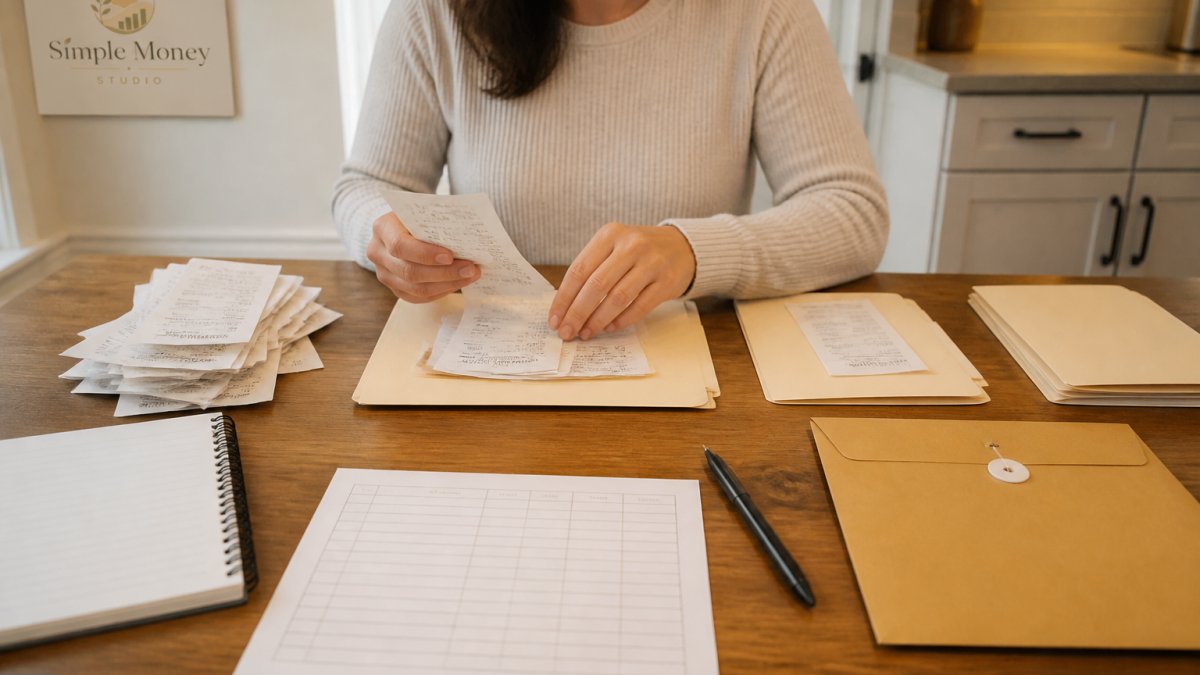
What you need:
- One letter-size file box or a deep desk drawer
- 12 manila folders, or 12 large envelopes
- A pen and a printed receipt log
- A stapler or paper clips
Step 1: Clear a workspace. Empty the shoebox and sort into keep and toss piles.
Step 2: Label the outer layer. Write one month on each folder or envelope, January through December.
Step 4: File as you go. Every new receipt goes into the current month, then into its category.
Setting Up Folders, Envelopes, and Labels
Labels do the heavy lifting. A folder called "Stuff" is a shoebox with extra steps. Write labels in the pattern Month - Category, for example "March - Travel," in marker, not pencil. Keep a master list taped inside the box lid.
Filling In a Receipt Log
A receipt log is a single sheet recording each receipt's key details, so you can total a category without pulling every scrap of paper. Fill in one line per receipt:
- Purchase date
- Vendor
- Amount
- Category
The last column is the one people skip. Add it anyway, a location note saves ten minutes of digging. Simple Money Studio's printable trackers follow the same logic: one page, clear columns, no learning curve.
How Long to Keep Tax Receipts
Organizing receipts and retaining them are two different jobs. Organizing gets you through this filing; retention rules tell you when a record can go.
The IRS guidance on how long to keep records sets the general retention period at three years from the date you file your return, but that is a floor, not a ceiling.
A practical retention schedule:
- Three years from the filing date for ordinary returns. This is the standard period the IRS has to assess additional tax.
- Six years if you underreported income by more than 25% of the gross income shown on your return. The assessment window doubles.
- Seven years for records tied to a claim for a loss from worthless securities or a bad debt deduction.
- Indefinitely for records connected to property you still own, purchase price, improvements, and basis. You will need them when you sell, no matter how far off that is.
For most people, a seven-year retention window covers everything comfortably. Once a tax year closes, move that year's folders into a labeled archive box and stop touching them.
What Counts as a Record the IRS Will Accept
The IRS does not require a specific form for most supporting records, it requires that you substantiate the amount, date, and business purpose of an expense. That is why the receipt log matters as much as the receipt: a faded thermal slip with no note is weak evidence, but the same slip stapled to a half sheet with vendor, date, amount, and business purpose is strong evidence.
A Retention Workflow That Actually Gets Used
Retention fails when it is a separate chore. Fold it into the annual close-out:
- When you finish a return, total each category folder and note the totals on the folder cover.
- Move the closed year into an archive box labeled with the tax year.
- Write the shred date on the box, the filing date plus the applicable retention period.
- Once a year, shred the boxes whose date has passed.
That annual pass keeps the archive from growing without bound and gives you a defensible answer if anyone asks why a record is gone.
Your 2026 Tax Receipt Checklist and Calendar
A tax receipt checklist turns a vague chore into a short list you can finish. The 2026 version adds dates, a checklist without a calendar is a wish list.
Monthly, ten minutes:
- File every receipt from the past month
- Update the receipt log
- Reconcile the log total against your bank statement
- Note any missing receipts and request copies
Before you file:
- Total each category folder
- Match totals to your bank and card statements
- Confirm you have written acknowledgments for donations
- Photograph or scan the folders you are least likely to need again
A dated 2026 calendar:
| When | What to do |
|---|---|
| Every month | File, log, reconcile |
| Early January 2026 | Close out the 2025 year, archive it, start fresh folders for 2026 |
| By late January 2026 | Gather income documents, W-2s and 1099s typically arrive by the end of January |
| February 2026 | Reconcile 2025 category totals against statements; request any missing receipts |
| Before you file | Total categories, check donation acknowledgments, confirm business-purpose notes |
| After you file | Apply the retention schedule and label the archive box with a shred date |
Put the monthly ten minutes on a repeating reminder. That single habit is what separates a working system from a pile.
The 2026 Receipt Log Template
You do not need software. A single sheet with these columns, kept in the front of the file box, does the job:
- Purchase date
- Vendor
- Amount
- Category
- Business purpose
Print twelve, one per month, and clip them inside the box lid. When a month closes, total the amount column and write it on the folder cover. That number is what you carry to your return.
Folder Labels That Survive the Year
Write labels in the pattern Month - Category, for example "March - Travel." Use a marker, not a pencil. Keep a master list taped inside the box lid so anyone, including you in April, can find where things live. When the year closes, relabel the archive box by tax year and write the shred date on it.
Staple small receipts to a half sheet of paper before filing. Loose thermal receipts curl, slip between folders, and vanish. The half sheet also gives you room to write the vendor, date, and business purpose.
When Receipts Fade, Tear, or Go Missing
Thermal receipts fade fast, and heat makes it worse. A receipt left on a dashboard can go blank in weeks.
For faded receipts:
- Photograph them the day you get them, while the ink is dark
- Store them away from heat, sunlight, and damp
- Write the amount and vendor on the back in pen as a backup
For torn receipts: tape them to a sheet of paper and note what was damaged.
For missing receipts: you have options. The IRS guidance on reconstructing records explains what to do when records are lost, and it is worth reading before you assume a deduction is gone.
Mixed-use purchases need a note too. If a trip combined work and personal time, write the business portion on the receipt at the time.
If paper management overwhelms you, a printable system can help.
Frequently Asked Questions
Should I organize tax receipts by category or by month?
Most people do best with category folders that hold monthly subfolders inside them. The category is what your tax preparer and the IRS care about, while the month makes it easy to find a single purchase later. If you file a simple return with few deductions, sorting by month alone is enough. If you run a business or claim many deductions, sort by category first and keep months in order within each folder.
How long should I keep paper receipts for tax records?
The IRS generally expects you to keep records supporting a return for at least three years after you file it, which is the standard assessment window. Keep receipts for six years if you underreport income by more than 25 percent, and indefinitely for anything tied to property or investments. For 2026, that means holding most 2025 receipts until at least 2029. Store them somewhere dry and away from sunlight so the ink stays readable.
Can I use digital copies instead of paper receipts?
Yes. The IRS accepts legible digital copies of receipts as supporting documentation, so a clear photo or scan works the same as the paper original. Many people photograph receipts at the point of purchase and keep the paper in a folder as backup until the tax year closes. If you go fully digital, back up the files to cloud storage and name them by date and vendor so you can find them during an audit.
What if a receipt is faded or I lost it entirely?
Start with a bank or card statement, which shows the vendor, date, and amount, and attach a short note explaining what the purchase was for. Ask the vendor for a duplicate receipt, since many stores can reprint one. For future purchases, photograph receipts the same day and write the business purpose on the back in pen. A clear record of the expense plus a statement is far better than an empty folder.
Tax season rewards the person who filed as they went, not the one who saved everything and sorted nothing. The system above takes an hour to build and ten minutes a month to run, and it turns a dreaded chore into a short checklist. Start with one box, twelve folders, and a log, and let the habit do the rest. Visit Simple Money Studio to find printable trackers that keep your receipts, bills, and budget in one place, so tax season stops being a scramble.