

Table of Contents
- Quick Comparison: 5 Printable Budget Planners for 2026
- 1-Hour Budget Setup Guide: Best for Beginners
- Money & Bills Organizer: Best for Bill Tracking
- Debt & Savings Tracker: Best for Debt Payoff
- Subscription Cleanup Planner: Best for Cutting Costs
- Simple Money Studio Starter Pack: The Complete System
- How to Choose a Printable Budget Planner for Your Style
- Free Printable Monthly Budget Planner vs. Paid Options
- Frequently Asked Questions
Last Updated: October 7, 2026
Quick Comparison: 5 Printable Budget Planners for 2026
The best printable budget planner for 2026 is the one you will actually use every month, not the one with the most pages. At Simple Money Studio, our printables are built around that idea.
If you have tried budgeting apps and quit, you are not alone: apps add friction, while writing a number on paper makes it feel real. The five planners below cover budgeting, bills, debt, savings, and subscriptions, so you can pick the one that matches your problem right now.
Quick Picks:
- Best for beginners: 1-Hour Budget Setup Guide ($18.99)
- Best for bill tracking: Money & Bills Organizer ($16.99)
- Best for debt payoff: Debt & Savings Tracker ($16.99)
| Planner | Price | Best For | Format | Standout Feature |
|---|---|---|---|---|
| 1-Hour Budget Setup Guide | $18.99 | Beginners | PDF workbook | Four-bucket budget framework |
| Money & Bills Organizer | $16.99 | Bill tracking | PDF workbook | 5-minute weekly check-in |
| Debt & Savings Tracker | $16.99 | Debt payoff | PDF workbook | Snowball vs. avalanche guide |
| Subscription Cleanup Planner | $14.99 | Cutting costs | PDF workbook | Keep, reduce, pause, cancel rules |
| Starter Pack (all four) | $47.96 | Complete system | Four PDFs | Saves $20 versus buying separately |
1-Hour Budget Setup Guide: Best for Beginners
Most budgeting advice fails beginners by demanding dozens of categories on day one. This guide takes the opposite approach: four buckets, one hour, done.

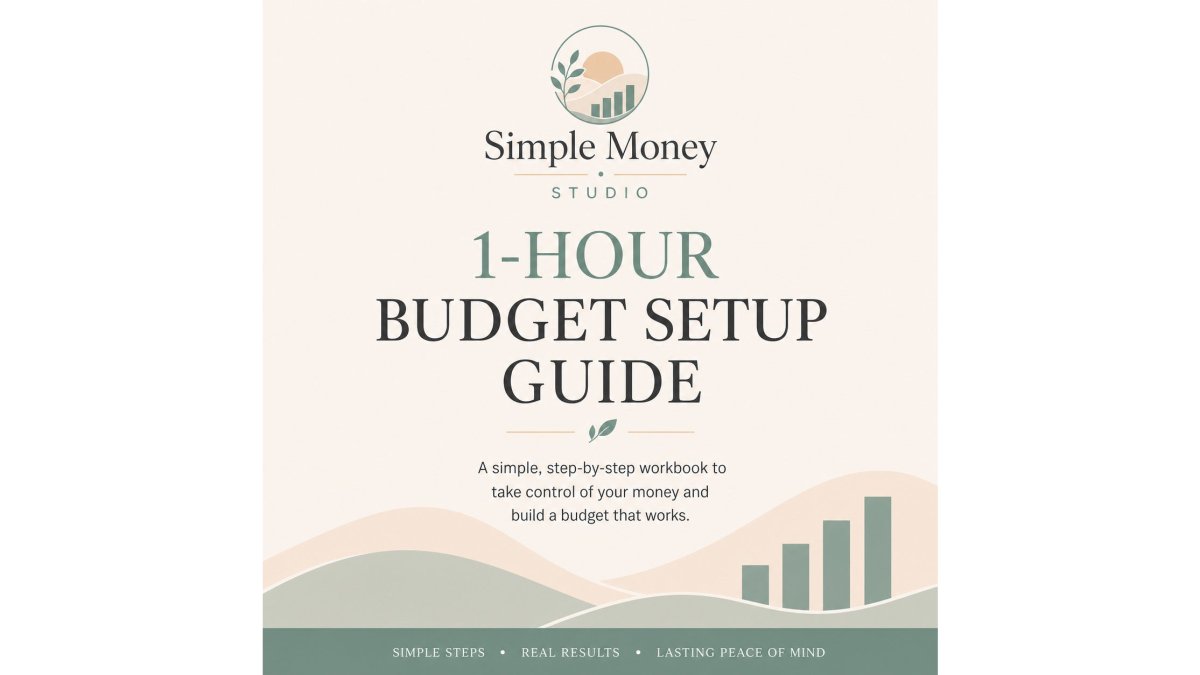
The framework splits your money into income, bills and fixed expenses, weekly spending, and savings and debt goals.
The built-in time structure is the best part: ten minutes to gather numbers, fifteen for income, fifteen for bills, ten for essential spending, ten for savings and debt.
The limitation is honest: this is a starting point, not an advanced financial plan. If you already budget well and want deep category tracking, you will outgrow it. For a first budget, that simplicity is the feature.
Money & Bills Organizer: Best for Bill Tracking
Late fees and missed due dates cost real money, and this organizer attacks that problem with one page for income, bills due, bills paid, and bills still due.
Inside, you get a bill calendar with a simple legend (P for payday, D for due, A for auto-pay), a payment log, an annual bills page, and a subscription list.
Where it falls short: it is a monthly home base, not a spending diary. Pair it with a budget worksheet if you want both.
Debt & Savings Tracker: Best for Debt Payoff
Debt feels hopeless when you cannot see movement. This tracker makes movement visible.
The standout page walks you through the two standard payoff strategies. Debt snowball targets your smallest balance first for quick wins (How to reduce your debt). Debt avalanche targets your highest interest rate first to save more over time (How to reduce your debt).
From there, you list each debt with its balance, minimum payment, interest rate, and extra payment. Fill-in progress bars let you shade one box per milestone, so a slow month still looks like something.
The one drawback is scope: this is a progress tracker for consumer debt and savings goals, not an investment or retirement planning tool.
Subscription Cleanup Planner: Best for Cutting Costs
Subscription creep is the quietest leak in a household budget: small recurring charges are easy to forget because each looks harmless alone.
This planner starts by helping you find them, prompting you to check bank transactions, credit card statements, app store subscriptions, PayPal recurring payments, and email receipts, including shared family plans.
The catch: this planner does not cancel anything for you. It is a paper system, and the follow-through is yours.
Simple Money Studio Starter Pack: The Complete System
Buying one planner solves one problem. The Starter Pack solves the whole routine, and it is our top pick for anyone who wants a system rather than a single tool.
You get all four workbooks for $47.96, which saves $20 compared to buying each one separately. Each has a clear job, and they use the same four-bucket language, so nothing has to be re-learned between them:
- 1-Hour Budget Setup Guide builds your monthly budget
- Money & Bills Organizer runs your month with a 5-minute weekly check-in
- Debt & Savings Tracker turns goals into visible progress
Work through them in order and you have a repeatable monthly routine: budget at the start of the month, check in weekly, update progress monthly, audit subscriptions yearly.

The trade-off is commitment: four workbooks ask for more attention than one, and if you only have a bill problem, start with the organizer instead.
How to Choose a Printable Budget Planner for Your Style
The right planner depends less on the product and more on how you handle money.
Start with one question: what is actually going wrong? If you do not know where your money goes, you need a budget worksheet.
Then match the layout to your budgeting style. These four styles cover most households, and each fails with the wrong format:
- Zero-based budgeting. Every dollar gets assigned a job before the month starts. You need a worksheet with an income line at the top, a full category list, and a running "left to assign" total that should hit zero. A simple calendar view will not work here because it has no place to assign money.
- Cash envelopes. You withdraw set amounts in cash for groceries, dining, and other variable categories, then spend from the envelope. You need a tracker with a per-category balance you can subtract from by hand, plus a place to log each withdrawal. A monthly overview page is useless because it does not track a running balance.
- Irregular or variable income. Freelancers, tipped workers, and commission earners cannot budget a fixed monthly number. You need a layout built around a priority order: cover fixed bills first, then essentials, then savings, then flexible spending. Look for a worksheet with a "lowest expected month" column so you can plan against your worst case, not your best.
Once you know your style, check the format against your habits:
- Print-ready PDFs suit people who think better on paper and want a binder they can leave on the counter.
- Letter size works for standard home printers; check the page size before you print a full workbook, and confirm whether the file is designed for double-sided printing.
- Editable or fillable versions suit anyone who prefers typing over handwriting. Confirm the file opens in a free PDF reader before you buy, since some fillable files require paid software.
- Digital use works if you keep a tablet and a note-taking app handy. A print-only PDF will not accept typed entries, so decide up front whether you want paper or a screen.
One more check: does the layout match how often you will actually sit down with it? A weekly check-in page suits someone who reviews money every Sunday.
Free Printable Monthly Budget Planner vs. Paid Options
Free printable monthly budget planner pages and paid workbooks both have a place: free wins for some people and paid wins for others. What most pages skip is the part that helps you decide, what each option includes, a worked example, and instructions for using it.
What Free Templates Usually Include
Free printables are a good test. If you have never budgeted before, download a basic monthly budget worksheet and try it for one month. You risk nothing, and you learn whether paper works for you at all. The trade-offs are real, though: free printables often cover one page, skip the instructions, and leave you to figure out the method yourself.
What Paid Workbooks Usually Add
Paid workbooks cost more but include the part free pages leave out: the method. The 1-Hour Budget Setup Guide walks you through income conversion for weekly and biweekly pay, gives examples for each category, and includes a step-by-step time breakdown, the guidance that turns a blank worksheet into a working budget.
Side-by-Side: What to Compare Before You Choose
When you look at any free or paid option, check these five things. They separate a planner you will use from one you will abandon:
| Feature | Free templates | Paid workbooks |
|---|---|---|
| Pages included | Usually one worksheet | A full set (budget, bills, debt, savings) |
| Instructions | Rarely included | Step-by-step method and examples |
| Editable or fillable | Sometimes, often locked | Usually included |
| Reusable | Yes, if you reprint | Yes, print or fill in as many times as you like |
| Support or updates | None | Varies by seller |
A Worked Example
Numbers make this concrete. Suppose your take-home pay is $4,200 a month. Fixed bills (rent, utilities, insurance, phone) come to $2,300. You set aside $400 for savings and $300 for debt payoff. That leaves $1,200 for variable spending: groceries, gas, dining, and everything else. On a free one-page worksheet, you would write those four totals and stop. On a paid workbook, you would break the $1,200 into categories, track it weekly, and adjust the next month based on what you actually spent.
How to Set It Up and Use It Each Month
Whichever you choose, the routine is the same:
- Gather your numbers. Pull the last 30 to 60 days of bank and card transactions. Actual spending beats memory every time.
- Fill in income first. Use your lowest expected month if your pay varies.
- List fixed bills. Rent, utilities, insurance, loan payments, and anything due on a set date.
- Assign variable spending. Groceries, gas, dining, and personal spending get their own lines.
- Set savings and debt goals. Even a small amount counts.
- Review weekly. Five minutes to check what you paid and what is due in the next seven days.
- Adjust next month. Move money between categories based on what actually happened, not what you hoped.
Handling Your Financial Information
There is also the matter of privacy. Whether you print at home or fill in a PDF on a device, keep completed pages private and avoid entering account numbers on any worksheet, names and amounts are enough for budgeting.
A practical middle path: start with a free worksheet to build the habit, then move to a paid system once you know which pages you actually use. If you would rather skip the trial and error, the Starter Pack covers every part of the routine for less than a takeout dinner.

Frequently Asked Questions
What is the best budget planner template for 2026?
The best template depends on your goal. For a full system, the Simple Money Studio Starter Pack ($47.96) includes a budget guide, bill organizer, debt tracker, and subscription planner. If you just need to start, the 1-Hour Budget Setup Guide ($18.99) walks you through a simple monthly budget in about an hour. Look for a printable budget planner that matches your biggest pain point, whether that's bills, debt, or overspending.
Is there a free printable monthly budget planner available?
Yes, many free printable monthly budget planner options exist online, usually as basic PDF worksheets. They work well for simple income and expense tracking. However, free templates often lack guidance on how to use them or extra tools for bills, debt, and savings. Paid options like the Simple Money Studio Starter Pack add step-by-step instructions and a connected system, which helps beginners stick with budgeting long-term.
How do I use a printable budget planner effectively?
Start by gathering your income, bills, and recent bank statements. Fill out your monthly budget worksheet at the start of each month, then check in weekly to track spending and update payments. A budget binder keeps everything in one place so you can review progress. The key is consistency: even a 5-minute weekly check-in helps you stay on track and adjust before small issues become big ones.
Can I print a budget planner at home?
Yes. All Simple Money Studio products are digital PDF workbooks you can print at home or use on a tablet. Print on standard letter-size paper, or adjust your printer settings for A4 or A5 if you prefer a smaller binder. For a budget binder, print the pages you use most and place them in sheet protectors so you can reuse them with a dry-erase marker.