

Table of Contents
- Why Tracking Subscriptions Is the Fastest Win in Your Budget
- How to Find Subscriptions You Forgot You Were Paying For
- Choose a Free Subscription Tracker That Fits How You Manage Money
- Use a Printable Subscription Tracker for a Hands-On System
- Set Up Subscription Renewal Reminders So Nothing Sneaks Up on You
- Track Subscriptions Shared With Family or a Household
- Build a Repeatable Review and Cancellation Routine
- Conclusion: Start With One Easy Step This Week
- Frequently Asked Questions
Last Updated: October 9, 2026
Why Tracking Subscriptions Is the Fastest Win in Your Budget
To track subscriptions means listing every recurring charge you pay, when it renews, and what it costs, so nothing leaves your account unnoticed.
A forgotten $15 monthly charge is $180 a year, and usually one of several.
Most budgets fail because people start with the hardest category, like groceries or gas, where every purchase is a fresh decision.
How to Find Subscriptions You Forgot You Were Paying For
Finding forgotten subscriptions comes down to three sources: bank and credit card statements, your email inbox, and your app store account. Together they build a complete list without paid detection software.
Check Bank and Credit Card Statements for Recurring Charges
Pull the last three months of statements for every card and account you use, then scan for charges that repeat at the same amount on roughly the same date.
Look for these patterns:
- Same merchant, same amount, every 30 days
- Small charges under $10, which people tend to ignore
- Annual charges that appear only once in your history
A common mistake is scanning only your main checking account. Recurring payments often sit on a rarely reviewed credit card or a digital wallet linked to an old card.
Search Your Email Inbox for Renewal and Receipt Messages
Your inbox is a receipt archive whether you meant it to be one or not.
Email receipts are especially useful for free trials, since most confirmations include the date the first real charge begins, the date you need to act on.
Between statements and inbox searches, most people find more recurring charges than they expected. That list becomes the foundation for everything that follows.
Choose a Free Subscription Tracker That Fits How You Manage Money
The best free subscription tracker is the one you will open every week, not the one with the longest feature list. But "free" is doing a lot of work there, so know what each category costs in money, setup time, and data access.
Tracking methods fall into four categories, and each suits a different kind of person:
| Method | Best For | Effort to Set Up | Ongoing Effort | Data You Hand Over |
|---|---|---|---|---|
| Bank or card alerts | People who want automatic detection | Low | Very low | None beyond your existing bank |
| Spreadsheet | People who like customization | Medium | Medium | None |
| Printable tracker | Hands-on, screen-free managers | Low | Low | None |
| Mobile app | People who want everything on their phone | Medium | Low | Often full transaction history |
Bank and Card Alerts: The Zero-Setup Option
Most banks and card issuers let you turn on notifications for any charge above a set amount, flagging new recurring payments as they start. Set the threshold low, around $1 to $5, so small subscriptions do not slip under it. The trade-off: alerts tell you a charge happened, not whether you meant to keep it, so you still have to log it somewhere.
Spreadsheets: Maximum Control, Maximum Typing
A spreadsheet gives you full control and a real-time view of monthly and annual totals. Build four columns: service name, amount, billing cycle, and next renewal date, plus a fifth that multiplies the amount by 12 for monthly services or by 1 for annual ones to show a true yearly cost. The catch is typing in every charge, which is where most people quit, so set a recurring calendar event to update it.
Printable Trackers: The Privacy-First Choice
A paper worksheet requires no account connections and keeps your financial data entirely offline, nothing is transmitted, stored on a server, or shared with a third party. The only cost is paper and the discipline to keep it visible. Pick this if you are uncomfortable linking accounts but still want structure.
Mobile Apps: Convenience With a Data Trade-Off
Apps that connect to your accounts can categorize recurring payments automatically, which is useful if you have dozens of subscriptions across multiple cards. Before linking anything, read the privacy terms and check three things: whether the app sells or shares aggregated data, whether it stores your bank login credentials or uses a read-only connection, and whether you can delete your data on demand.
How to Decide in Under Five Minutes
Ask three questions. Do you check your phone more than your desk? Pick an app or bank alerts. Want zero third-party access to your accounts? Pick paper or a spreadsheet. Have more than ten subscriptions across multiple cards?
Whichever you choose, the tracker only works if it feeds the next step: reminders that fire before the charge, not after.
Use a Printable Subscription Tracker for a Hands-On System
A printable subscription tracker is a paper worksheet where you list each service, its cost, its billing cycle, and its renewal date, then mark what you decide to keep, pause, or cancel.
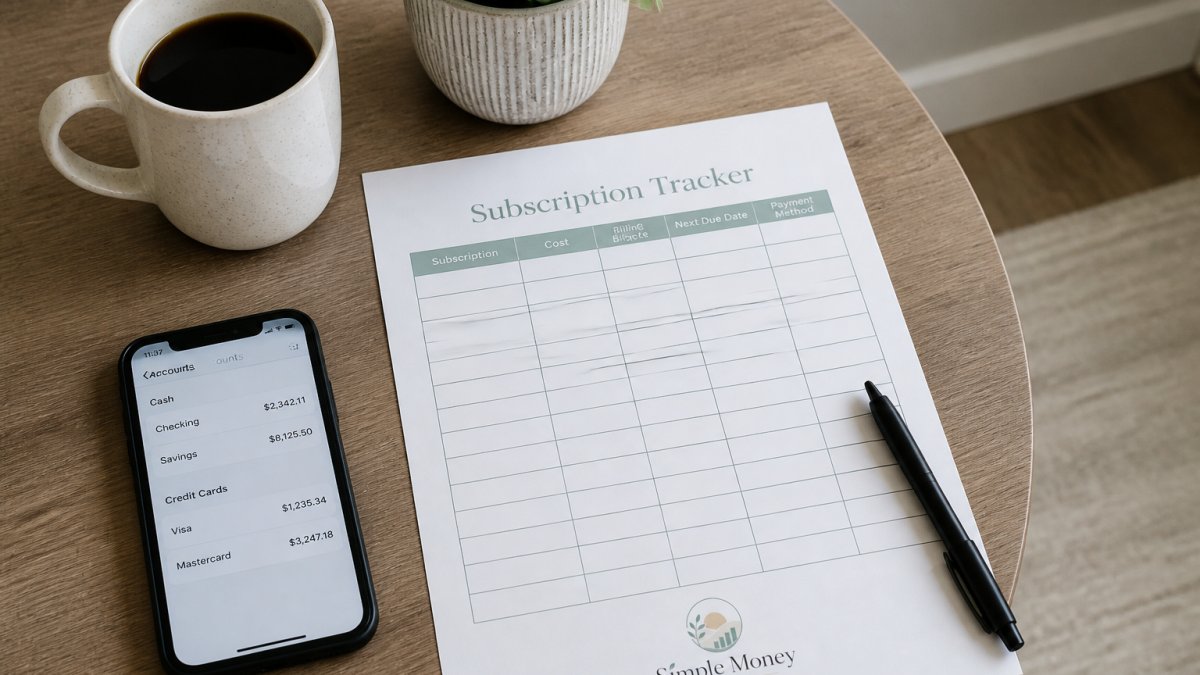
Paper has one advantage apps struggle to match: you have to look at it. A sheet on the fridge gets seen; a notification gets swiped away.
Our Subscription Cleanup Planner is built for exactly this task.

If bills and subscriptions tend to blur together, the Money & Bills Organizer adds a monthly overview, a bill calendar, and a dedicated subscription list in one place. And if you want the whole system, the Starter Pack bundles the budget, bills, debt and savings, and subscription tools together.
Subscription Cleanup Planner →


Set Up Subscription Renewal Reminders So Nothing Sneaks Up on You
Subscription renewal reminders are scheduled alerts that fire before a charge hits, giving you time to cancel or downgrade first. Without them, annual renewals and trial expirations arrive as surprises.
Calendar Alerts for Monthly and Annual Renewals
Put every renewal date in the same calendar you already check. Set the alert for three to five days before the charge, not on the day itself.
For annual subscriptions, add a second reminder 30 days out. Many services only allow cancellations within a certain window before renewal, and a last-minute reminder can leave you paying for another year.
- Monthly services: alert 3 days before the payment date
- Quarterly services: alert 7 days before
- Annual services: alert 30 days before, plus a backup 3 days before
Handling Free Trials and Irregular Billing Cycles
Free trials are the most common source of accidental charges. The moment you start one, log the expiration date and set a reminder for two days before it ends.
Irregular cycles need a different approach. A service that bills every 4 weeks does not land on the same date each month, and one that bills every 6 months will not appear in a 3-month statement review.
Track Subscriptions Shared With Family or a Household
Shared subscriptions need one owner and one shared list, or they get paid twice or cancelled by mistake. Assign a responsible person to each service and keep the list somewhere everyone can see it, automatic detection sees one card and one account, not a household.
Households run into four specific problems:
- Duplicate accounts. Two family members each pay for the same streaming or music service.
- Orphaned accounts. Everyone assumes someone else is handling the payment.
- Split costs with no record. One person pays, others reimburse informally, and nobody remembers the actual amounts.
Build a Shared Subscription List
Create one list that every adult in the household can see. A shared document or a sheet on the fridge both work. For each service, record five things:
- Service name and what it covers
- Who owns the account and whose card is charged
- Monthly or annual cost and the renewal date
- Who else uses it
- How the cost is split, if at all
The owner column is the one that prevents orphaned accounts. If a service has no owner, it has no one watching the renewal date.
Run a Household Duplicate Check
Once a quarter, read the list out loud together and look for the same service appearing twice. Streaming, music, cloud storage, and fitness apps are the most common duplicates because each person signs up independently. When you find one, cancel the newer account and move everyone to the older one, or replace two individual plans with one household plan.
Handle Split Costs Without Awkwardness
If one person pays and others reimburse, write down the amount and the cadence. A fixed monthly transfer is easier to keep up with than a running tab. Some households rotate who pays for which service, which works as long as the list records who is currently responsible.
Watch for the Shared-Account Cancellation Trap
When a shared subscription is cancelled, everyone loses access at once, including people who were paying their share.
If you are managing a family budget, our Money & Bills Organizer includes an annual bills page and subscription list that work for shared expenses, and the Subscription Cleanup Planner has a column for the account owner so the responsibility is never ambiguous.
Build a Repeatable Review and Cancellation Routine
A subscription audit is a scheduled review where you go through every recurring charge and decide what stays. Done monthly in short bursts, it takes about 20 minutes and prevents charges from creeping back up.
Use this routine:
- Review the full subscription list once a month, on the same day
- Confirm each charge on your statement matches a service you still use
- Flag anything you have not used since the last review
The cancellation step is where people stall. When you cancel, save the confirmation email or screenshot the cancellation page.
Conclusion: Start With One Easy Step This Week
The hard part of tracking subscriptions is not the method, it is starting. Pick one action this week: pull three months of statements and list every recurring charge you find. That single list usually reveals more than people expect.
If you want a system that makes the whole process simple, Simple Money Studio offers beginner-friendly printables built for exactly this. The Subscription Cleanup Planner walks you through finding, reviewing, and cleaning up recurring charges, the Money & Bills Organizer keeps your monthly bills and due dates in one view, and the Starter Pack brings the full set together.
Frequently Asked Questions
What is the best free app for tracking subscriptions?
The best free option depends on how much access you want to give. Apps that connect to your bank account can detect recurring charges automatically, but many lock useful features behind a paid plan. If you would rather not link your accounts, a free subscription tracker like a printable worksheet or a simple spreadsheet costs nothing and keeps your financial data private. Start with the free tier of any app, confirm it finds your recurring bills accurately, then decide if upgrading is worth it.
Can I track subscriptions without linking my bank account?
Yes. You can find subscriptions by reviewing your bank statements, credit card statements, and email receipts manually, then log each one in a printable subscription tracker or spreadsheet. This approach takes about an hour the first time, but it avoids sharing bank login details with third-party apps. After the initial list is built, a monthly or quarterly check-in keeps it current. Many people prefer this method because it keeps sensitive financial data off outside servers.
How often should I review my subscriptions?
A quick monthly check works for most households, with a deeper subscription audit every three to six months. Monthly reviews catch free trials that converted to paid plans and any price increases. Quarterly or twice-yearly audits give you time to compare what you are actually using against what you are paying for. A subscription tracker with a renewal date column makes both reviews faster because you can see upcoming payments at a glance instead of hunting through statements.
What information should I include in a subscription tracker?
At minimum, list the service name, monthly or annual cost, billing cycle, renewal date, and payment method. Add a column for who in the household uses it and a keep, reduce, pause, or cancel decision. Tracking the total monthly and annual cost helps you see the real impact. A printable subscription tracker or spreadsheet with these fields gives you a centralized dashboard for every recurring payment, so nothing renews without your knowledge.