

Table of Contents
- Why a Printable Planner with Financial Tools Beats an App
- Quick Comparison: Simple Money Studio Products and Pricing
- 1. Starter Pack: The Complete Financial Planner System
- Free Finance Planner Templates vs Paid Systems
- Frequently Asked Questions
Last Updated: October 14, 2026
Why a Printable Planner with Financial Tools Beats an App
A planner with financial tools solves a problem apps often create: it makes your money visible without adding another login, notification, or subscription.
There's a reason for that. Research on habit formation from University College London's habit study found that new behaviors become automatic faster when they're tied to a consistent cue and a physical routine.
The trade-off is real, though. Apps update balances automatically. Paper doesn't. You have to write the numbers yourself, and that takes a few minutes each week.
Here's the honest limitation: a printable planner with financial tracking won't categorize hundreds of transactions for you. If you want automated reports, paper is the wrong tool. If you want to know exactly where your money goes and feel in control of it, keep reading.
Quick Comparison: Simple Money Studio Products and Pricing
Every Simple Money Studio product is a one-time purchase with no subscription. The Starter Pack bundles all four workbooks at a discount, which is the option we recommend for most beginners.

| Product | Price | Best For | Format |
|---|---|---|---|
| Starter Pack (all 4) | $47.96 | Complete beginners who want one system | 4 PDF workbooks |
| Money & Bills Organizer | $16.99 | Monthly bill and payment tracking | PDF workbook |
| 1-Hour Budget Setup Guide | $18.99 | Building a first monthly budget fast | PDF workbook |
| Debt & Savings Tracker | $16.99 | Paying off debt, hitting savings goals | PDF workbook |
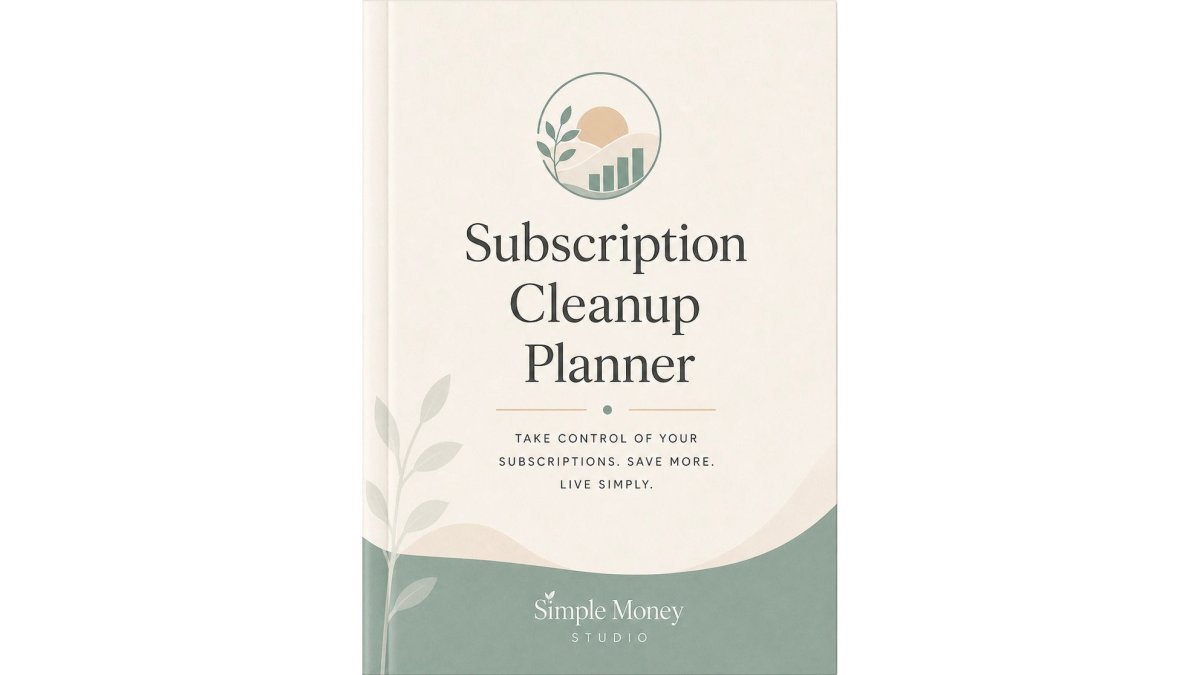
| Subscription Cleanup Planner | $14.99 | Cutting recurring charges | PDF workbook |
Buying the four tools separately costs $67.96, so the Starter Pack saves $20. All products are digital PDFs you print at home or use in a note-taking app, and each carries a personal use license you can reuse month after month.
1. Starter Pack: The Complete Financial Planner System
What's inside matters more than the count. The Money & Bills Organizer becomes your monthly home base, tracking income, bills due, bills paid, and what's still outstanding.

If you only need bill tracking, buy the organizer alone.

The decision rules keep it simple. If you haven't used it in 30 days, cancel it. If you'd still sign up today at the current price, keep it.
Simple Money Studio: Starter Pack →
Free Finance Planner Templates vs Paid Systems
Most guides frame this as free versus paid. That's the wrong axis. The decision that actually determines whether you stick with a planner comes down to format, paper, printable, digital, or hybrid, and each format has a different cost, friction level, and failure mode.
| Format | Typical Cost | Setup Time | Best For | Main Drawback |
|---|---|---|---|---|
| Pre-printed paper planner | $15-$40 one-time | None | People who want zero setup and a bound book | Fixed layout you can't customize; buy a new one each year |
| Printable PDF (like ours) | $14.99-$47.96 one-time | 10-30 min to print and assemble | Beginners who want structure plus customization | You supply the printer, paper, and binder |
| Free downloadable template | $0 | 5-15 min | Testing whether paper budgeting fits your routine | Fragmented pages with no shared categories |
| Digital planner (tablet app) | $0-$30 app plus stylus | 20-40 min to set up | People who already carry a tablet daily | Requires a stylus and comfort with a note app |
| Hybrid (paper + spreadsheet or app) | Varies | Ongoing | Households splitting shared and personal money | Two systems to keep in sync |
How to choose by financial situation
Format matters less than fit. Match the tool to your actual money pattern:
- Irregular or self-employed income: Choose a printable or digital format you can reprint or duplicate freely. You'll rebuild the income page most months, and a bound paper planner runs out of room.
- Shared household finances: Choose a hybrid setup. One shared binder or shared digital file for joint bills, plus a personal page for each person's spending, so neither partner has to hand over every receipt.
- Debt payoff focus: Choose a format with dedicated progress pages. A single debt tracker page beats a general budget page you have to adapt.
- Total beginner: Choose a paid printable system. The structure is the product, a free single page gives you a worksheet, not a routine.
- Accessibility needs: Choose a printable format you control. You can enlarge the font before printing, print in low-ink outline style, or use a high-contrast version. Pre-printed planners lock you into one size and one ink weight.
What to check before you buy any planner
Run these five checks against any option, free or paid:
- Tracking frequency. Does the layout assume daily entries or weekly check-ins? Daily layouts fail for most people within two weeks.
- Bill calendar. Is there a dated or undated calendar for due dates? Undated is more flexible and doesn't expire.
- Goal sections. Are savings and debt goals built in, or bolted on as an afterthought page?
- Portability. Will it fit in a bag you already carry, or will it stay on a desk and get ignored?
- Customization. Can you add, remove, or reprint pages as your situation changes?
The real cost comparison
Free templates cost $0 upfront but often cost more in the end: you download a budget page from one site, a bill tracker from another, and the categories never line up, so the numbers don't connect and the binder gets abandoned. A paid system at $47.96 for the full Starter Pack is a one-time cost with no subscription, and it's built so every page shares the same categories.
Frequently Asked Questions
Is there a budget paycheck planner available?
Yes. Simple Money Studio's 1-Hour Budget Setup Guide includes a conversion chart for weekly, biweekly, and twice-monthly pay, so you can turn any paycheck schedule into a monthly income figure. The Money & Bills Organizer then tracks paydays on a monthly calendar and logs each deposit. If your income changes month to month, you can update the income snapshot page each month to reflect actual earnings rather than guessing ahead.
What is the best budget journal for tracking debt payoff?
The Debt & Savings Tracker ($16.99) is built specifically for this. It lets you choose between the debt snowball method (paying the smallest balance first for quick wins) or the avalanche method (targeting the highest interest rate first to save more over time). You get fill-in progress bars for each debt and savings goal, monthly check-ins, and quarterly summaries. Updating it once a month is enough to see momentum without daily tracking.
Are printable budget planners useful for managing monthly expenses?
They work well for people who feel overwhelmed by apps. A printable financial planner keeps your income, bills, due dates, and spending in one physical place. Simple Money Studio's Starter Pack ($47.96) bundles four workbooks: a budget setup guide, a bills organizer, a debt and savings tracker, and a subscription cleanup planner. Each one handles a specific job, and together they create a repeatable monthly routine you can stick with.
How do I create a budget planner from scratch?
Start by gathering 30 to 60 days of bank transactions and a list of monthly bills. Then divide your income into four buckets: income, bills and fixed expenses, weekly spending, and savings and debt. The 1-Hour Budget Setup Guide ($18.99) walks you through this in about an hour with a timed breakdown: 10 minutes to gather numbers, 15 minutes for income, 15 minutes for bills, 10 minutes for weekly spending, and 10 minutes for savings and debt goals. You do not need every number to be perfect on the first pass.
What should a financial planner include for beginners?
A beginner-friendly financial planner should cover monthly income, bills with due dates, a weekly spending estimate, and space for savings and debt goals. Simple Money Studio's products use a four-bucket framework across all four workbooks, so the budget guide, bills organizer, debt tracker, and subscription planner all speak the same language. You can start with just one workbook and add others as your routine builds.